
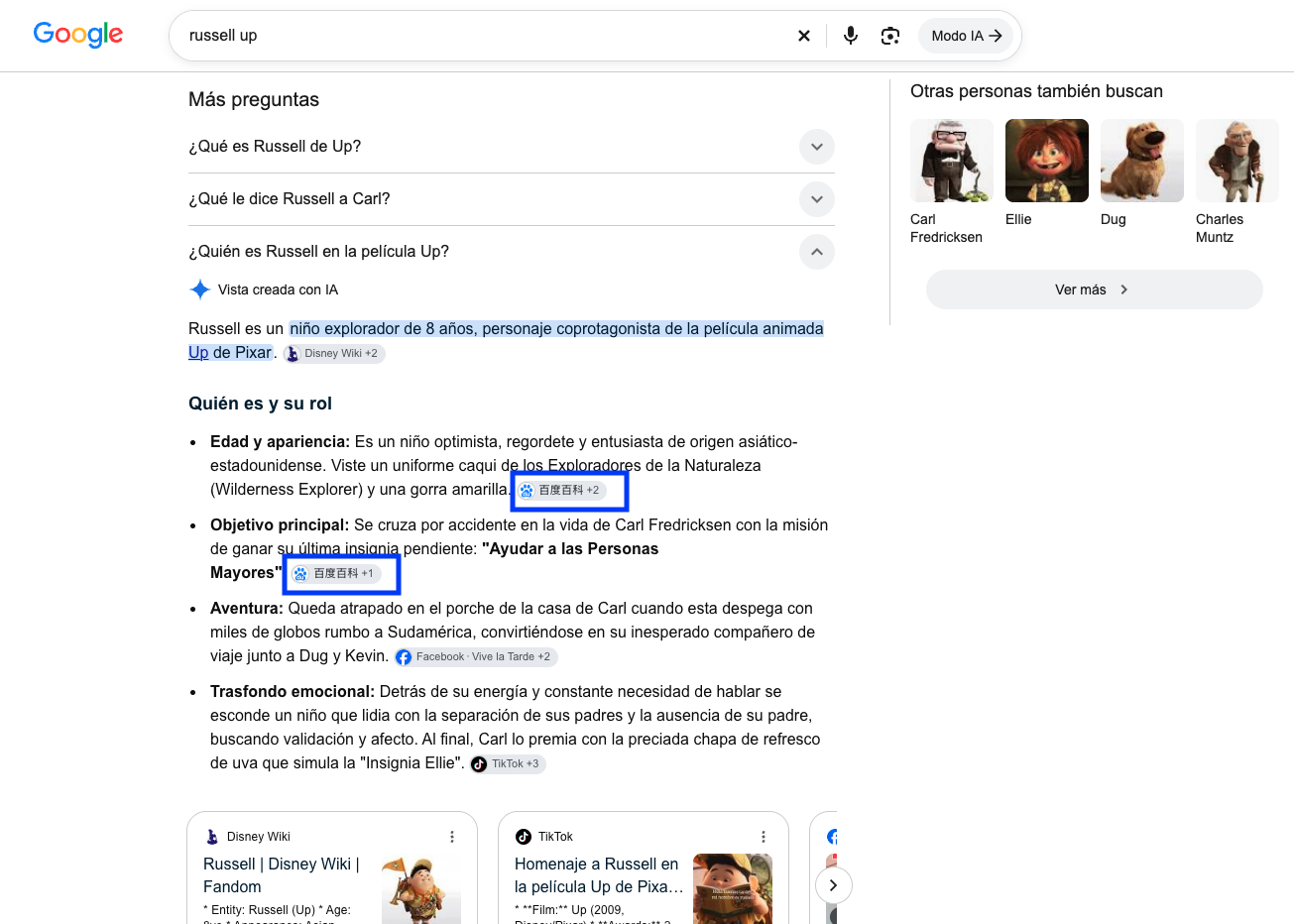
How clicking on an AI Overview I thought would take me to Baidu, a “strange” redirect took me to another dimension
What I saw
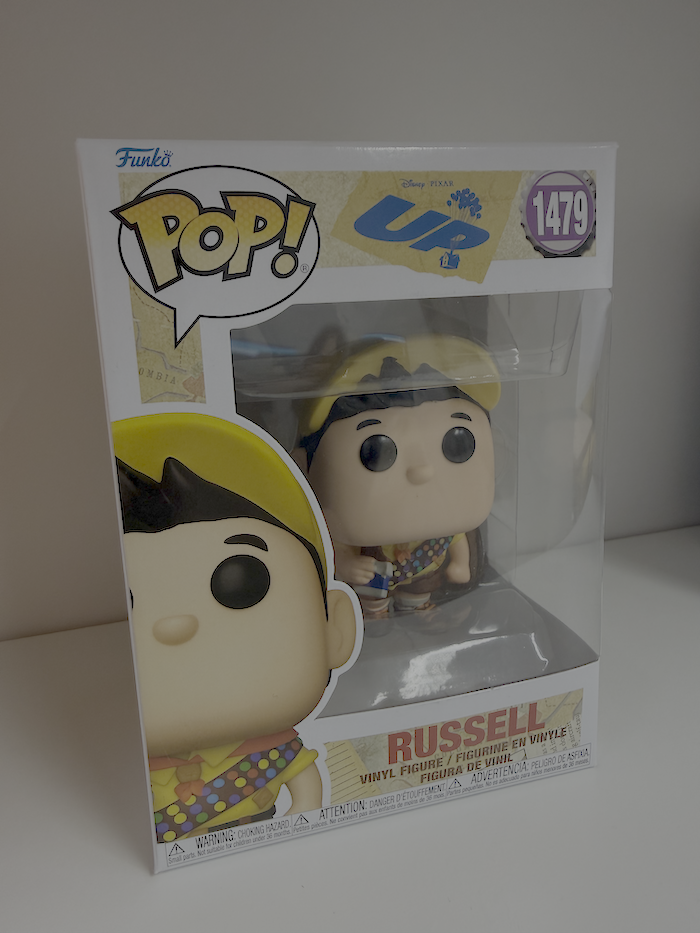
It all started with a Funko of Russell, the boy who stars in the Pixar movie Up.
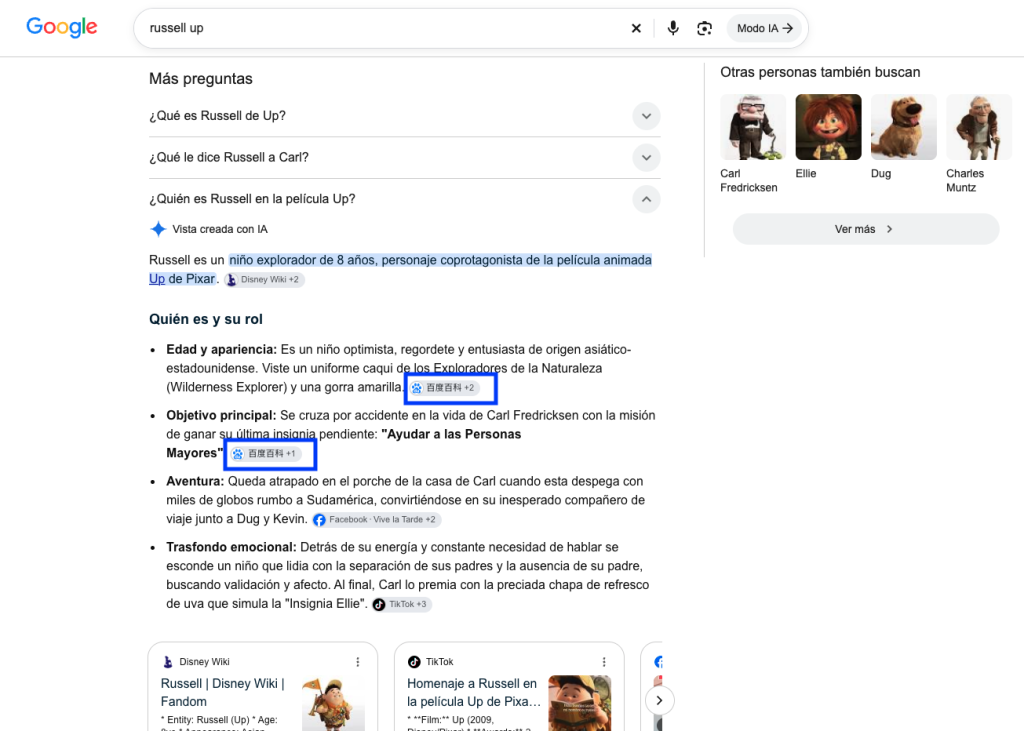
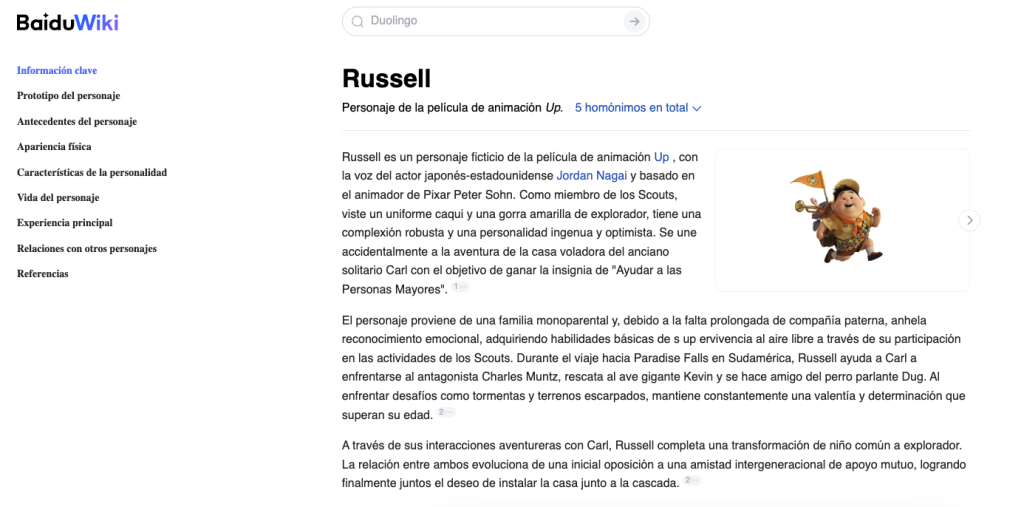
After buying it I wanted to know more about the character, so I searched on Google to find out more about the little explorer, and a result appeared with questions from the People Also Ask module (which are now generated with AI Overviews) and there, when I expanded it, something I wasn’t expecting: URLs from Baidu, the Chinese search engine.
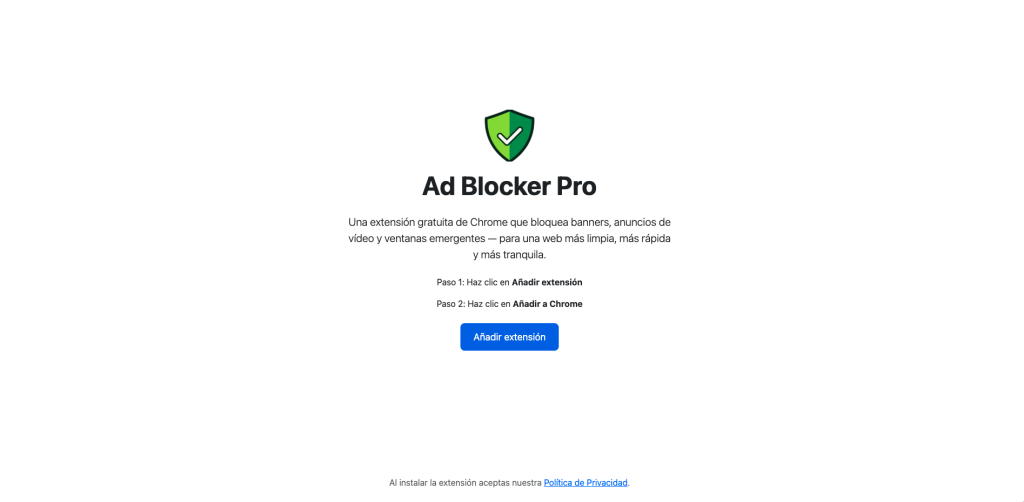
When I clicked, far from reaching Baidu’s content, its content “Wikipedia” (Baidu Baike), my browser showed me a page asking me to install a Chrome extension.
It all happened very fast, so I tried to replicate it several times afterwards, and at some point the redirect stopped happening: it no longer took me to the download page but to the real content.
I ran several quick tests in logged-in sessions and in incognito, and I also asked someone close to me to search for it to see if they got the same thing and whether the behavior was down to my computer or not.
What I checked myself
The first check is that the Baidu Baike content is real, genuine, it exists and is navigable; the issue is that on the first visit, it forcibly redirects me to the ad, so I used the Chrome inspector to try to follow the trail. This was the simple process:
- From the AI Overview I click to go to the Baidu Baike page in Spanish, the one for Russell.
- The website’s code loads an ad from an ad network with a format like Adsterra.
- The ad loads an additional script from a domain called aqml .org
- That script redirects, after a few seconds, to a system that keeps routing the traffic to different campaigns
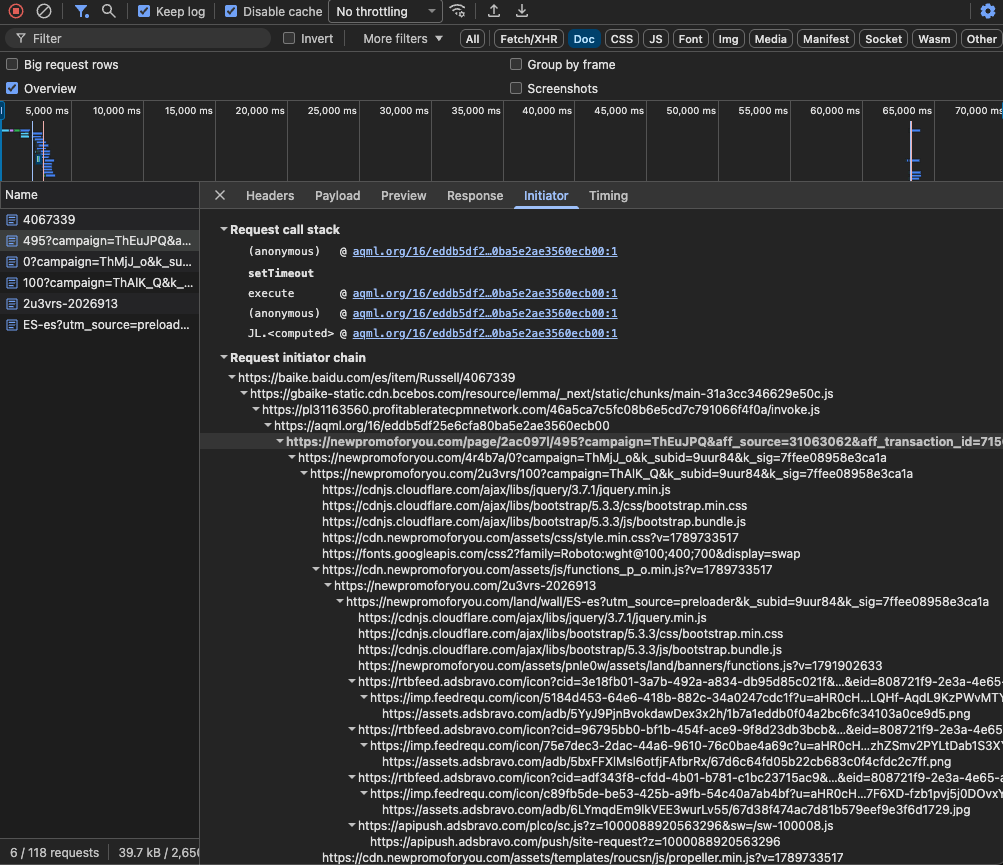
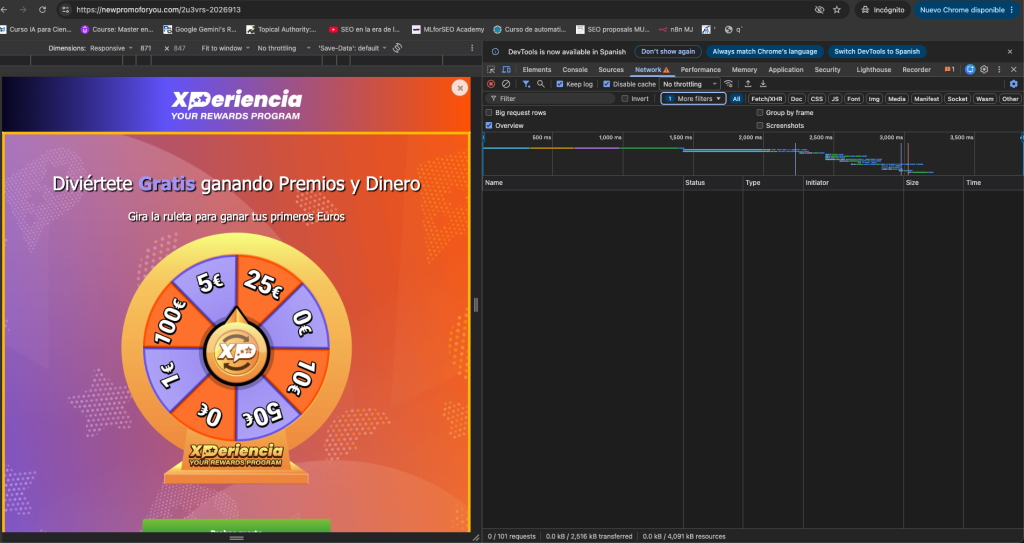
After running tests blocking different scripts, I ended up seeing different ads depending on the device:
- Chrome extension
- fake prize
- fake security alert
What Estela Franco saw
Since we are curious by nature, I told her what I had seen and she investigated on her own too, but she went even further than I did:
- She downloaded and decoded the scripts without executing them
- She set up Chrome to log the redirects and every change in the history
- She compared the server responses by browser, device and connection type
Requesting the campaign from the ad server with different devices:
| Device | What the user sees | What they are asked to do |
|---|---|---|
| Mac | “Ad Blocker Pro” page | Install a Chrome extension |
| Windows | “Ad Block Ghost” page | Install another Chrome extension |
| Android | Prize wheel with well-known brands as bait | Accept browser notifications |
| iPhone | Fake security alert with a video that doesn’t work | Download a “cleaner” app |
My two tests fit perfectly with her tests, because from the Mac I ended up on “Ad Blocker Pro” and with the inspector in mobile mode, on the prize wheel.
Other aspects identified by sharing data and checks with Estela that helped us understand more:
- The redirect repeats a maximum of 5 times because they set a cookie. If you delete cookies or go incognito you will get the redirect again.
- When there is a redirect, the ad “hijacks” the back button, so here another “perverse” behavior happens: if you press back you end up on affiliate pages.
- It hides from user-agents such as Googlebot or Lighthouse, giving them an empty response, while a normal browser gets the full code.
- In the Wayback Machine, we both found traces of the scripts existing since July 22-30.
Is this happening for Spain or for other places outside China? It’s not clear whether the filter is by country or by connection type.
Google doesn’t see it and keeps citing it
If whoever requests the page identifies as Googlebot, they get an empty response, so in Google’s eyes, the encyclopedia page is clean, with nothing suspicious, and it uses it as a source.
The page looks like a good source, it has the shape of an encyclopedia and covers a huge number of topics. Even though it is AI-generated content (stated by them), that hasn’t stopped it from gaining traction, attracting organic visibility with that same content since the beginning of 2026.
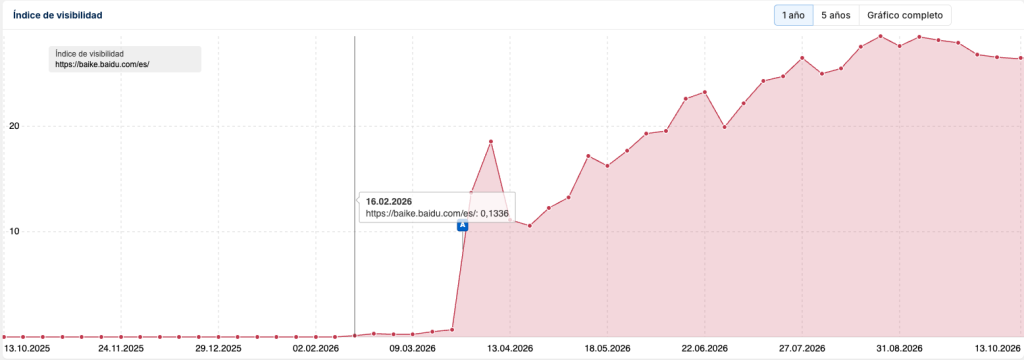
It’s worth remembering that these ads start appearing in July, and I don’t know whether it’s a deliberate strategy on their part to start monetizing in other markets.
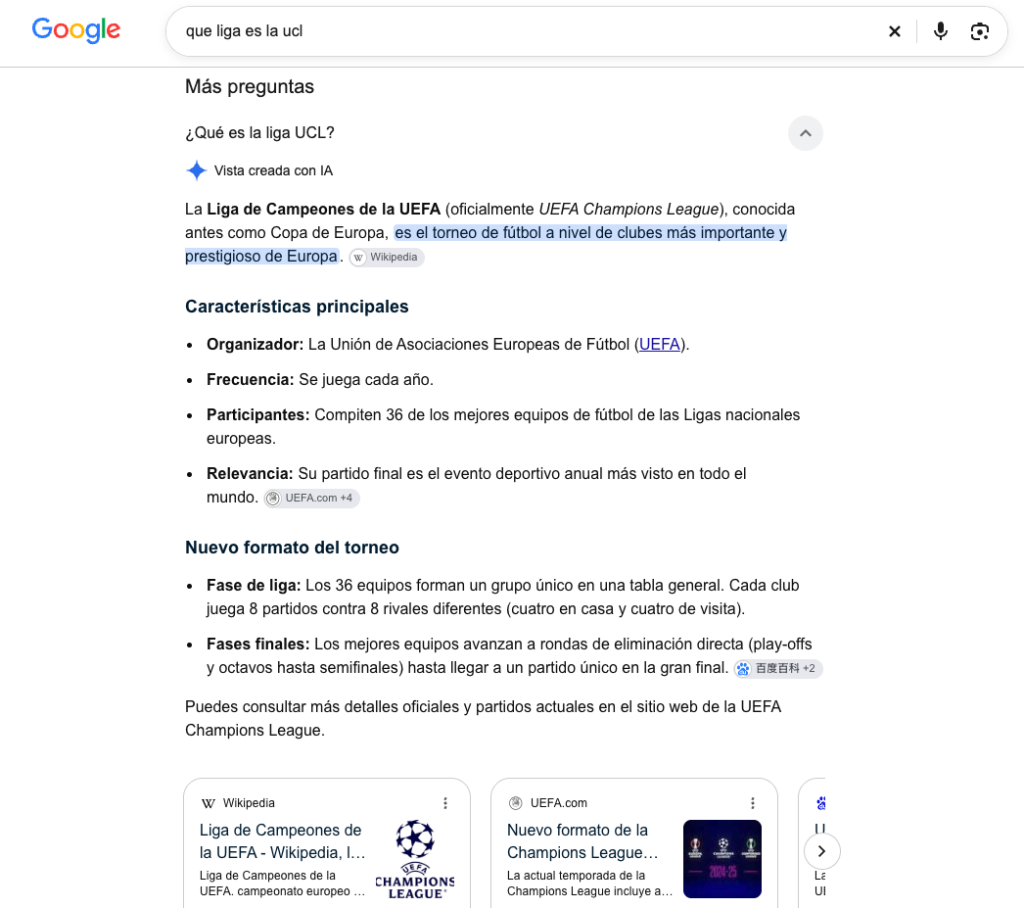
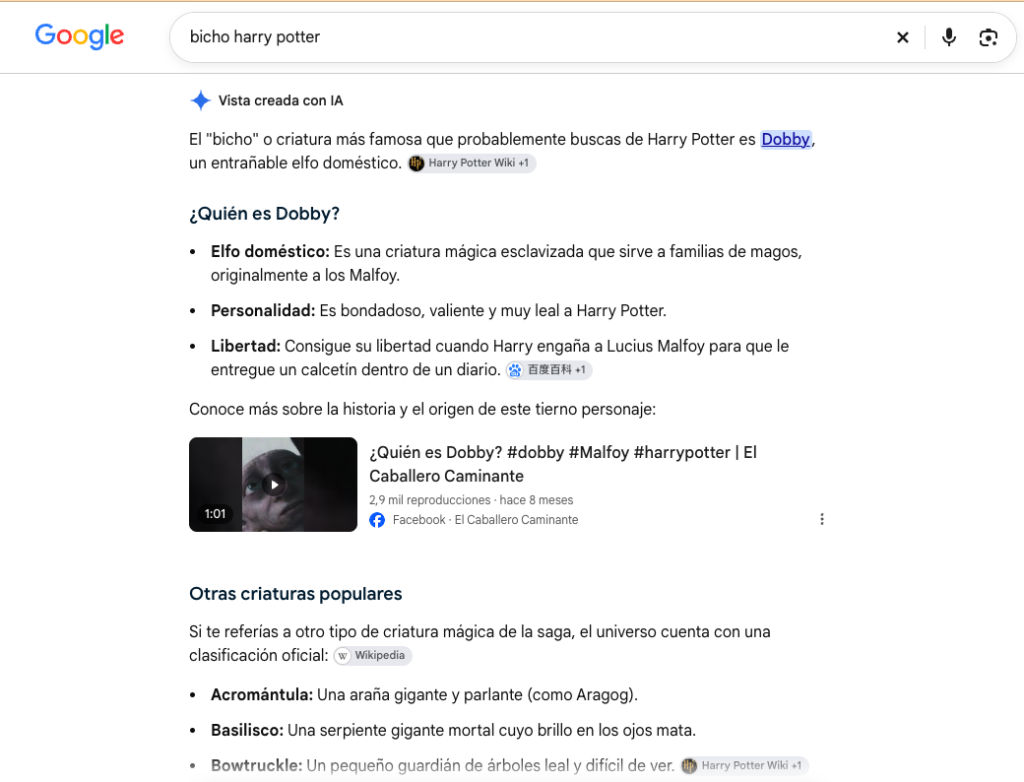
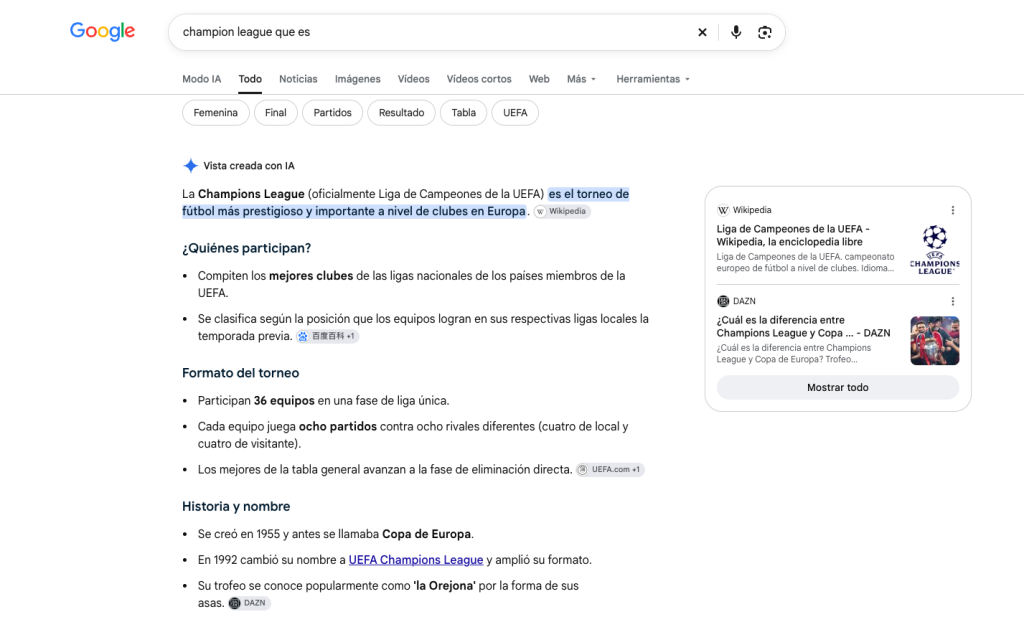
The example I’ve shown isn’t the only one, there are many more, although the volatility that AI-generated answers sometimes show has prevented me from extracting a solid list of examples in a systematic way, so here are some extracted manually:
- “What league is the UCL?” (“qué liga es la UCL”)
- “Harry Potter creature” (“bicho harry potter”)
- “What is the Champions League?” (“champion league que es”)
The danger of this
In the end, the user has followed a link from an AI Overview and their trust has been breached, as they are landing on a “dubious” website without that being their original intention, with the dangers associated with clicking on suspicious places.
Whichever ad you land on, if you aren’t paying enough attention you may end up clicking on one of them and activating subscriptions involuntarily or receiving invasive notifications.
If people make broad queries, like the one I made about Russell, on general knowledge topics, sports, movies, etc., this could potentially be impacting a very high percentage of users.
What to check if it has happened to you
On a personal level, when I’ve seen these pages, I’ve tried to check several things:
- Whether any of the Chrome extensions I had installed could be suspected of strange behavior, or whether there was something I hadn’t installed myself. In Chrome, by opening chrome://extensions
- Notifications from sites I don’t recognize having enabled voluntarily. In Chrome, by opening chrome://settings/content/notifications
- On mobile, checking for the typical “cleaner” apps, making sure no strange subscription has been activated.
Final comments and reflections
If I think about Baidu, these seem to me like rather unfriendly and unsafe tactics or actions for users, it smells of “dirty” tricks, but I don’t know the depth of the matter and why it’s happening, whose idea it was and who is responsible for it.
If I think about Google, the answers it offers in its search engine, whether AI-generated or not, act as a “recommendation” and, as users, we trust the result, we click to keep reading, so the Baidu Baike results are like walking into a dangerous alley blindfolded.
Annex: the checks in more detail
The whole analysis was carried out between October 13 and 14, 2026, without installing or accepting anything on the destination pages, and these were, more or less, the steps:
- Rule out my browser. I reviewed the installed extensions and Chrome policies, then repeated the search in incognito and asked other people to repeat it on their computers, to confirm that the problem was in the link, not in my Chrome.
- Get the real link from the source. By right-clicking and choosing “Inspect” on the 百度百科 label in the AI answer, I saw that it pointed to a legitimate page: baike.baidu.com/es/item/Russell/4067339.
- Record the navigation. I opened the Chrome inspector (Network tab) in a new incognito window, with “Preserve log” and “Disable cache” enabled.
- Block the destination to see who was requesting it. From Chrome’s request blocking panel, I prevented the browser from loading the extension’s website, but the script sent me to a different page, which confirmed that there was a system rotating the destinations.
- Read the chain of hops. Filtering by documents, the full sequence appeared: the Baidu page, a traffic distribution system and the final page. In the headers I saw the marker it leaves in the browser so as not to repeat, and that the Baidu page was the origin of the hop.
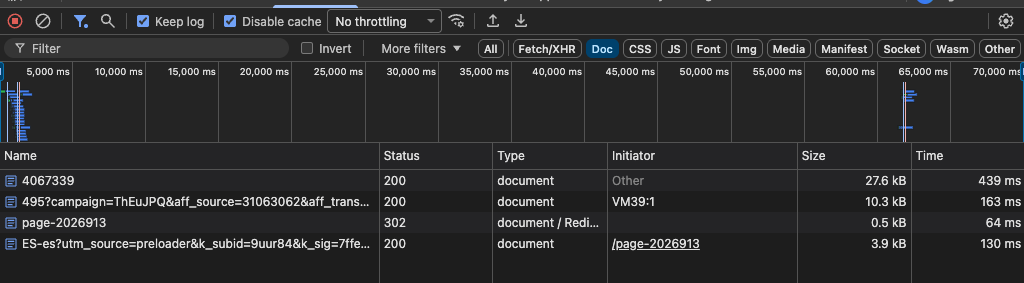
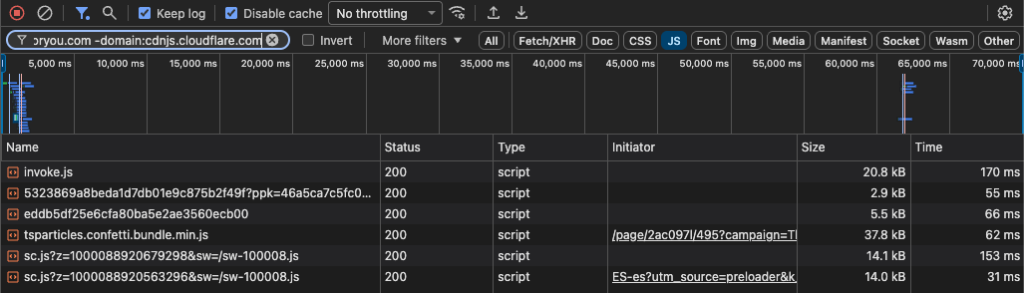
- Find the culprit script. I filtered the scripts by removing Baidu’s and the final page’s, three third-party ones remained, and the “Initiator” tab showed the chain: the Baidu website’s code loads the ad (invoke.js), the ad loads aqml.org and aqml.org executes the redirect.
- Review Baidu’s code without executing it. With view-source: I opened the page’s HTML and its JavaScript files, one by one. The HTML didn’t contain the ad, but one of the website’s files did, with its full configuration, including the ad account and the position at the end of the page.
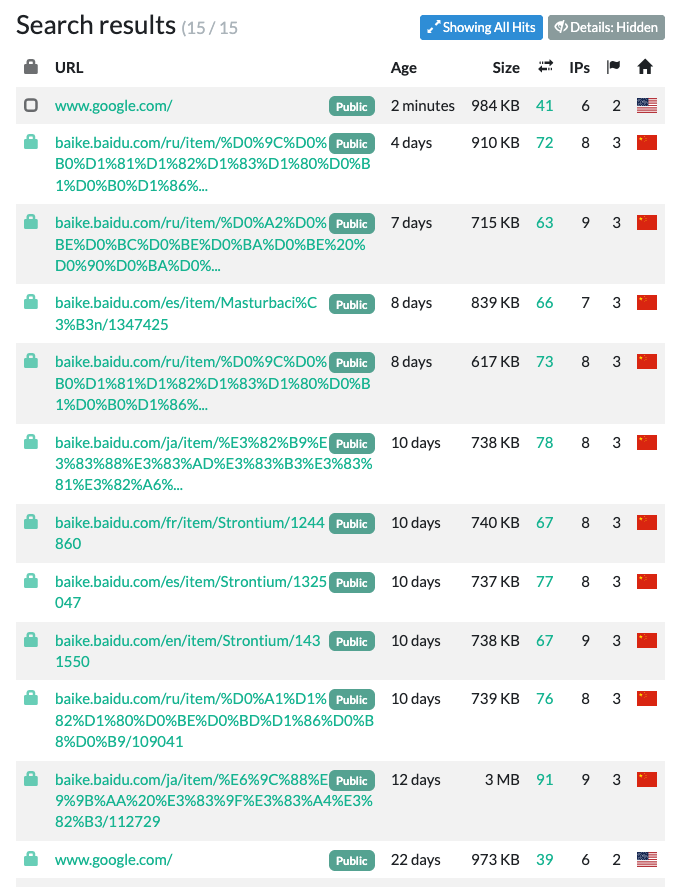
- Check whether that account is on other websites. On urlscan.io, all the pages loading that account were Baidu Baike pages in five languages. On PublicWWW it didn’t appear on any other website.
- Identify the ad network. The code format matched the one Adsterra uses for its native ads, according to examples published in forums and blogs.
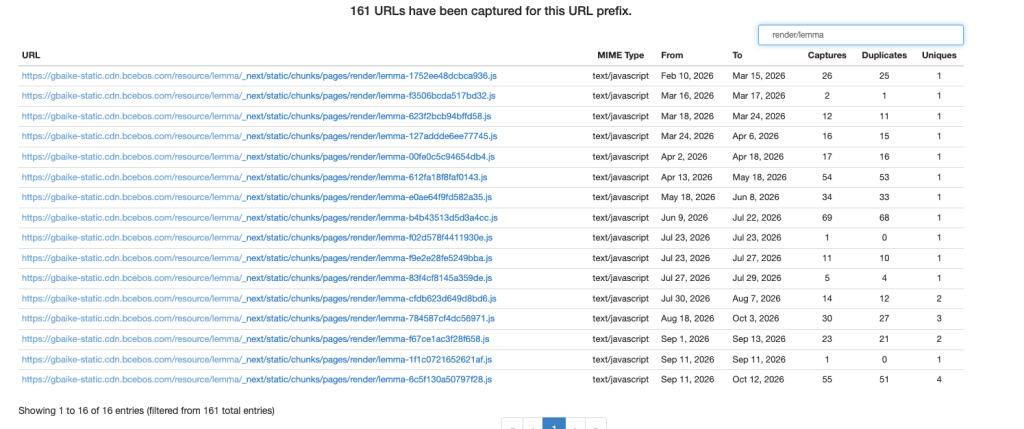
- Date the change. In the Wayback Machine I reviewed old versions of the page’s code, and I could see that the June version didn’t have the ad, while those from July 23 onwards did.
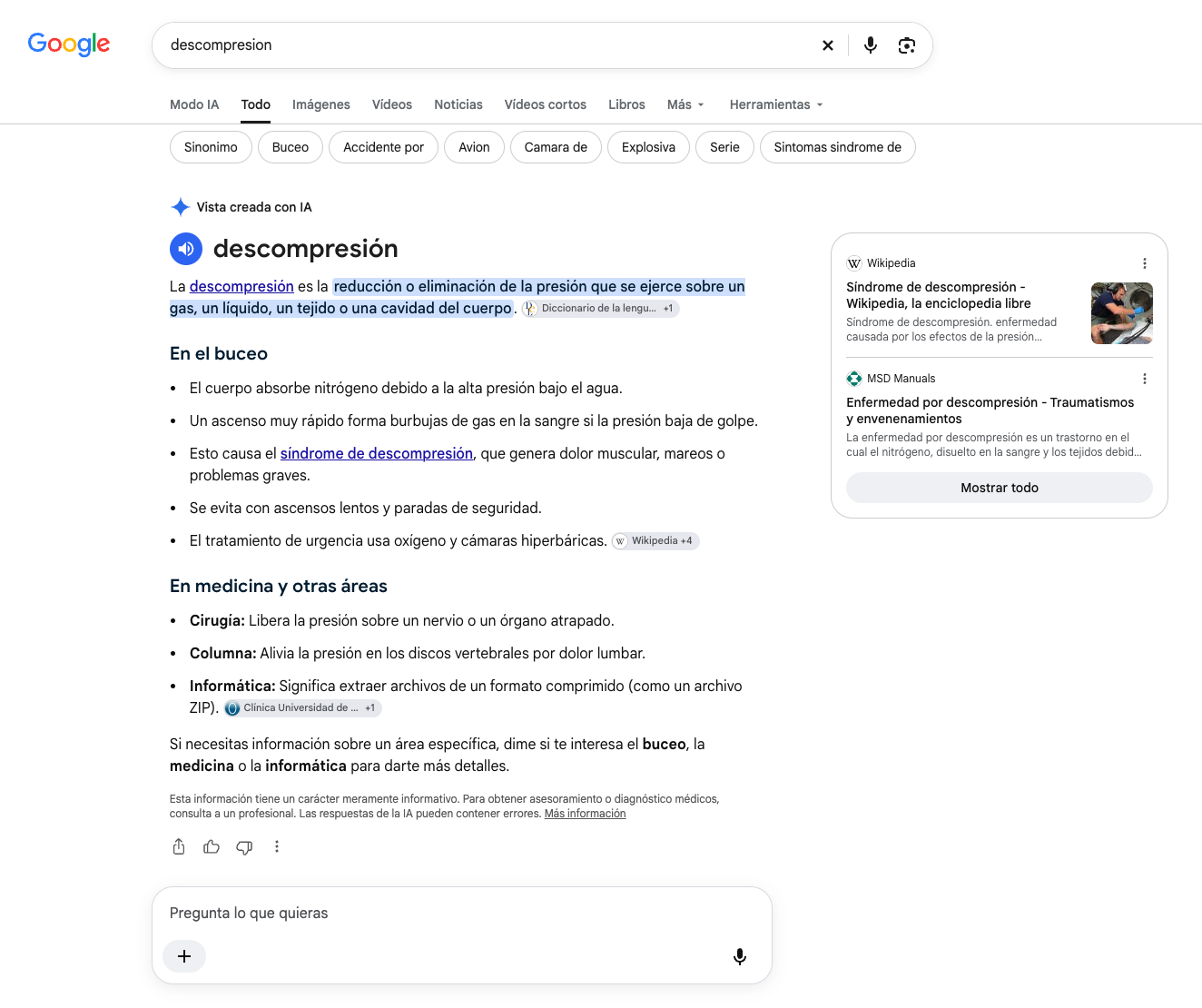
- Confirm the citations in Google. Using the DataForSEO API I ran searches on Google Spain and found Baidu Baike pages cited as sources in AI Overviews. Since the AI answers in “People also ask” can’t be captured with DataForSEO, I carried out manual reviews to capture more examples.
Soy MJ Cachón
Consultora SEO desde 2008, directora de la agencia SEO Laika. Volcada en unir el análisis de datos y el SEO estratégico, con business intelligence usando R, Screaming Frog, SISTRIX, Sitebulb y otras fuentes de datos. Mi filosofía: aprender y compartir.
Explore by subjects
tal vez sea
de tu interés
-
What makes Google to cite you in an AI Overview [mini-study]
When Google shows a user an AI Overview, it provides an answer that cites a handful of pages as sources. The question that instinctively comes to mind: between two pages competing for the same search, why does it cite one and not the other? Does it take into account “how it’s written” at a linguistic … What makes Google to cite you in an AI Overview [mini-study]
Leer artículo -
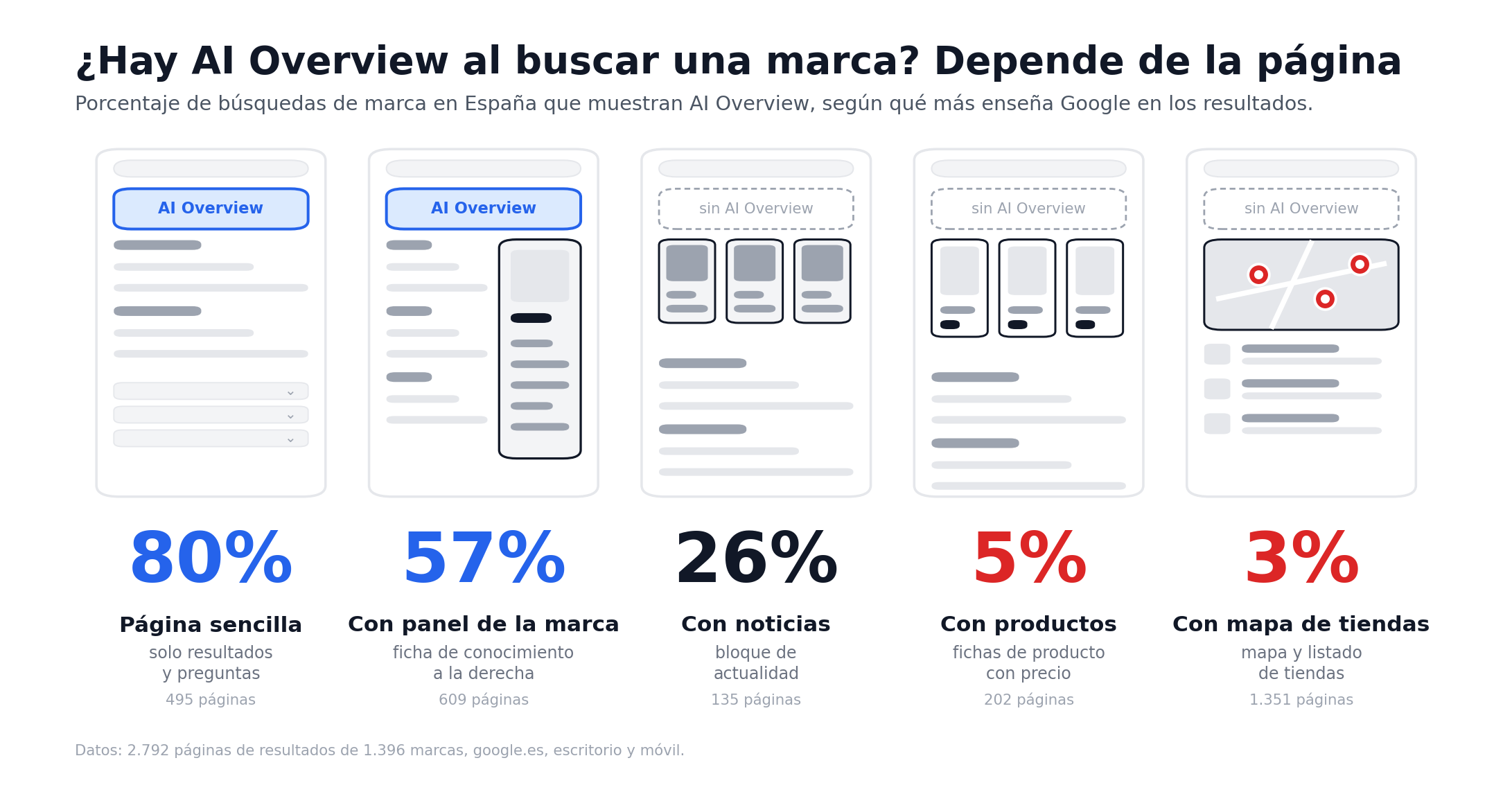
Do AI Overviews appear in branded searches? A study of 1,400 brands in Spain
In branded searches in Spain, only 1 in 4 searches shows an AI Overview: 24.7%. What I see carrying the most weight is not the size of the brand, but the elements or blocks Google shows in each search. If there are local packs, products or comparison blocks, there are almost never AI Overviews. However, … Do AI Overviews appear in branded searches? A study of 1,400 brands in Spain
Leer artículo -
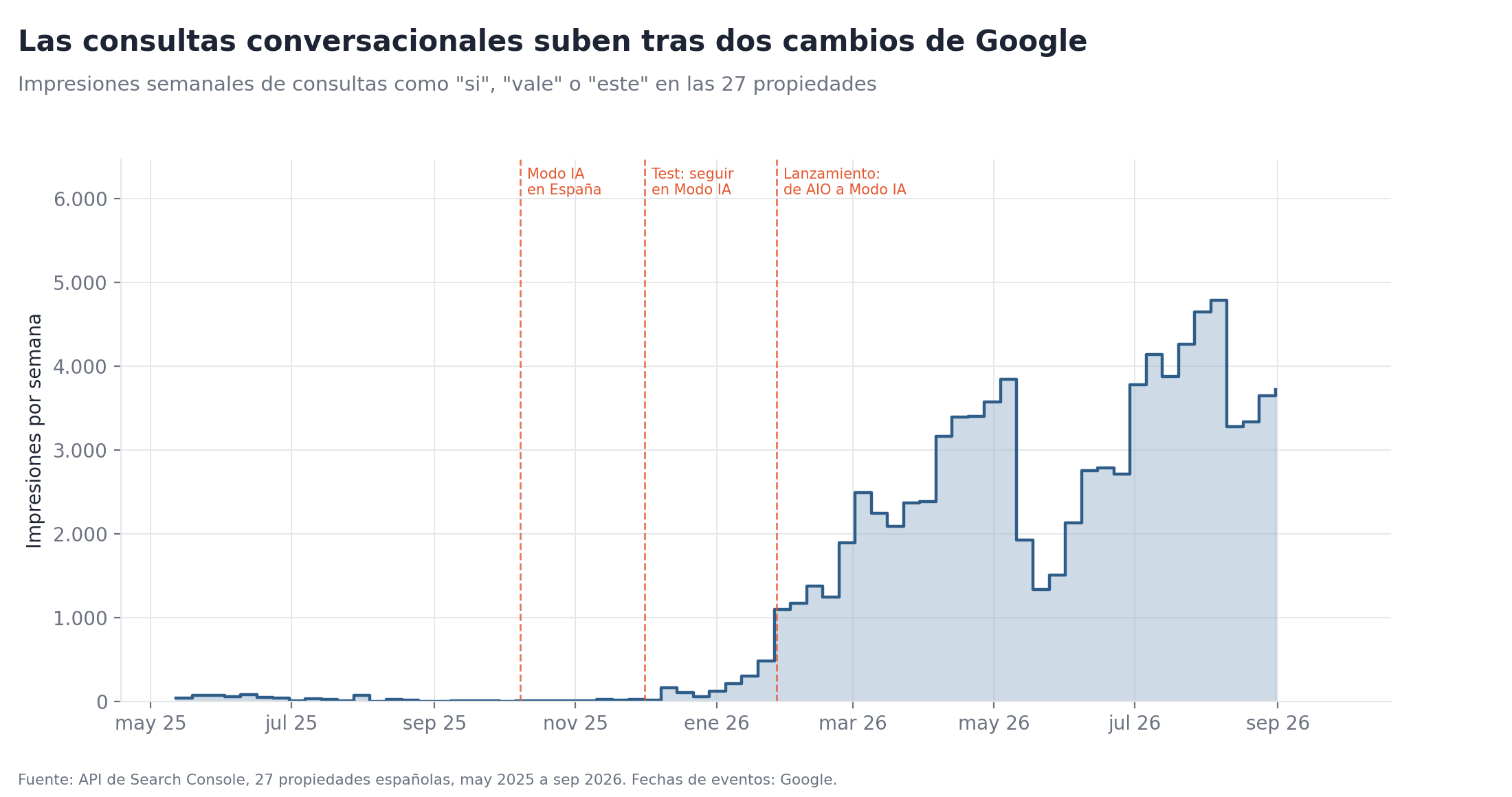
Conversational queries in Google Search Console: a study of 27 accounts
16 months of data from 27 Spanish properties across very different sectors, to figure out whether Search Console was recording what people say to the AI
Leer artículo